


Conversations
The Conversations section in AssistifAI allows you to view and manage all interactions between your AI assistant and users. This includes both chat conversations and voice interactions, along with detailed information such as conversation duration, status, and activity history.
This feature helps businesses monitor how the assistant is communicating with customers and review conversations for insights, support, and improvements.
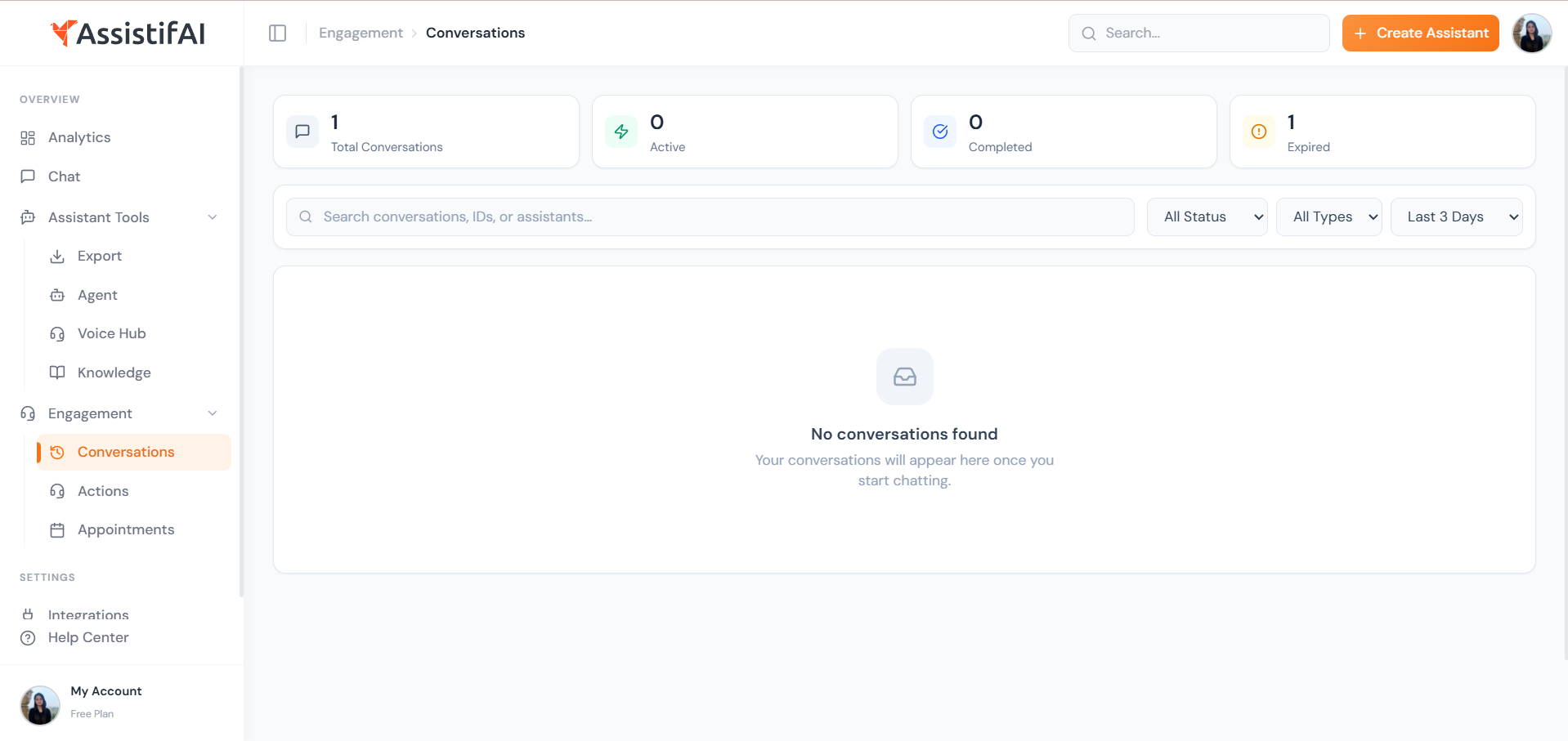
Conversation Overview
The dashboard provides a quick summary of conversation activity, including:
- Total Conversations – Total number of interactions handled by the assistant
- Active Conversations – Ongoing conversations currently in progress
- Completed Conversations – Conversations that have finished successfully
- Expired Conversations – Sessions that ended due to inactivity or timeout
These metrics help businesses understand how frequently customers are interacting with their assistant.
Viewing Conversation History
Each conversation entry shows important details such as:
- Conversation type (chat or audio)
- Duration of the interaction
- Conversation status (completed or expired)
- Date and time of the last activity
You can select any conversation to view the full interaction history between the user and the AI assistant.
Audio Conversations and Transcripts
For voice-based interactions, AssistifAI records the conversation and provides a complete audio transcript. This allows businesses to review exactly what was said during the interaction.
Benefits include:
- Understanding customer questions and concerns
- Reviewing how the assistant responded
- Identifying areas where the assistant can improve
- Ensuring accurate communication during voice calls
Search and Filter Conversations
The Conversations dashboard allows you to quickly find specific interactions using search and filters.
You can filter conversations by:
- Status
- Conversation type
- Time period
- Conversation ID or assistant name
This makes it easier to locate important conversations without manually reviewing the entire history.
Example
Imagine an online education platform using AssistifAI.
A student calls the AI assistant to ask about course details and enrollment. Later, the platform administrator opens the Conversations section to review the interaction.
They can:
- Listen to the recorded audio conversation
- Read the complete transcript
- Check how long the conversation lasted
- Review how the assistant handled the student’s questions
This helps the team ensure the assistant is providing accurate information and a good customer experience.
Why Conversations Matter
Reviewing conversation history helps businesses understand how their assistant is performing and how customers are interacting with it.
By analyzing conversations, businesses can:
- Improve their knowledge base
- Optimize assistant responses
- Identify common customer questions
- Maintain high-quality customer support
The Conversations feature gives businesses full visibility into every interaction handled by their AI assistant across both chat and voice channels.

