


Action
Not every customer query can always be answered instantly by the assistant. Some requests require human support, internal review, or follow-up from a team member.
AssistifAI handles this through its Actions system.
Whenever the assistant encounters a request that needs human attention, it automatically creates an Action Item. These items appear in the Actions Dashboard, where teams can review and manage customer requests.
In addition to the dashboard, AssistifAI can notify your team directly on the platforms they already use, such as WhatsApp or Slack, ensuring that urgent inquiries are seen and handled quickly.
This ensures that important customer inquiries, leads, or support requests are never missed, even if the assistant cannot fully resolve them.
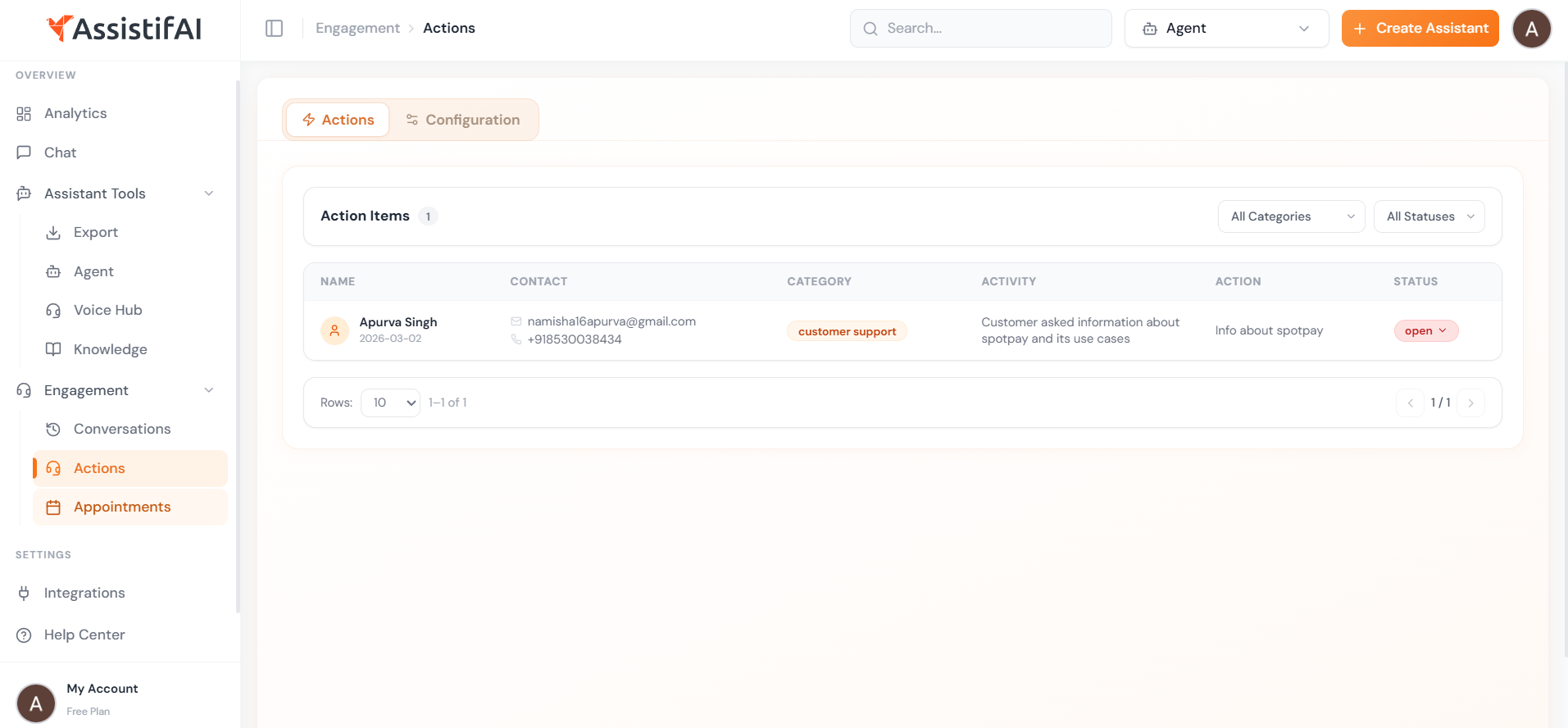
Actions Dashboard Overview
The Actions dashboard provides a structured list of all requests generated during assistant conversations.
Each action item includes important details such as:
- Customer Name
- Contact Information (email and phone number)
- Inquiry Category
- Activity Description
- Recommended Action
- Current Status
This table-based view allows teams to quickly understand the request and take the necessary action.
For example, if a customer asks for pricing information or requests to speak with a human representative, the assistant records the request and creates an action item so the team can follow up.
Real-Life Example
Imagine a customer interacting with the assistant and asking:
“Can someone call me to explain your pricing plans?”
The assistant collects the customer’s contact details and creates an action item.
The system may record:
Customer: X
Category: Billing
Activity: Customer asked about pricing plans
Action: Pricing quote needed
Status: Open
At the same time, AssistifAI sends a notification to the team’s Slack channel or WhatsApp group, informing them that a customer requires follow-up.
A team member can then review the request, contact the customer, and update the status once the issue has been resolved.
Managing Action Items
From the Actions dashboard, teams can:
- View all customer requests
- Filter requests by category or status
- Track open and completed actions
- Follow up with customers
- Update the request status once resolved
This helps businesses organize customer inquiries and manage leads more efficiently.
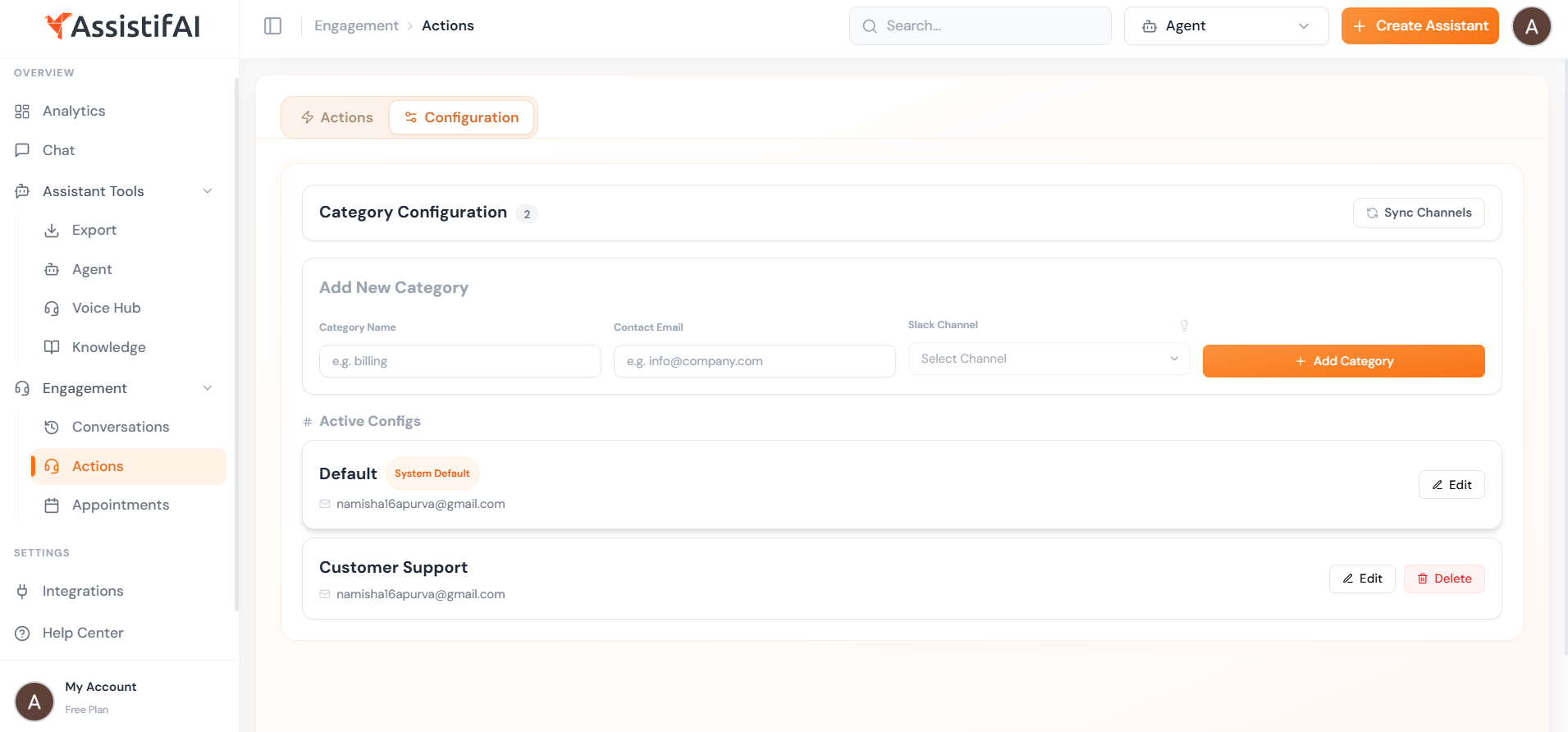
Actions Configuration
AssistifAI also provides an Actions Configuration section where businesses can customize how action items are created and categorized.
Through configuration settings, businesses can:
- Define inquiry categories such as billing, support, sales, or general inquiries
- Customize how requests are classified and tracked
- Control how the assistant creates and organizes action items
- Align the system with internal workflows or support teams
Why the Actions System Matters
The Actions system ensures AssistifAI is not just answering questions but also capturing leads and enabling human follow-up when needed.
It helps businesses:
- Capture important leads automatically
- Track customer requests and inquiries
- Notify teams instantly through WhatsApp or Slack
- Organize follow-ups efficiently
- Ensure no customer request is ignored
By combining AI automation, notifications, and structured request management, AssistifAI helps teams respond faster and manage customer interactions more effectively.

