


Agents
Configuration
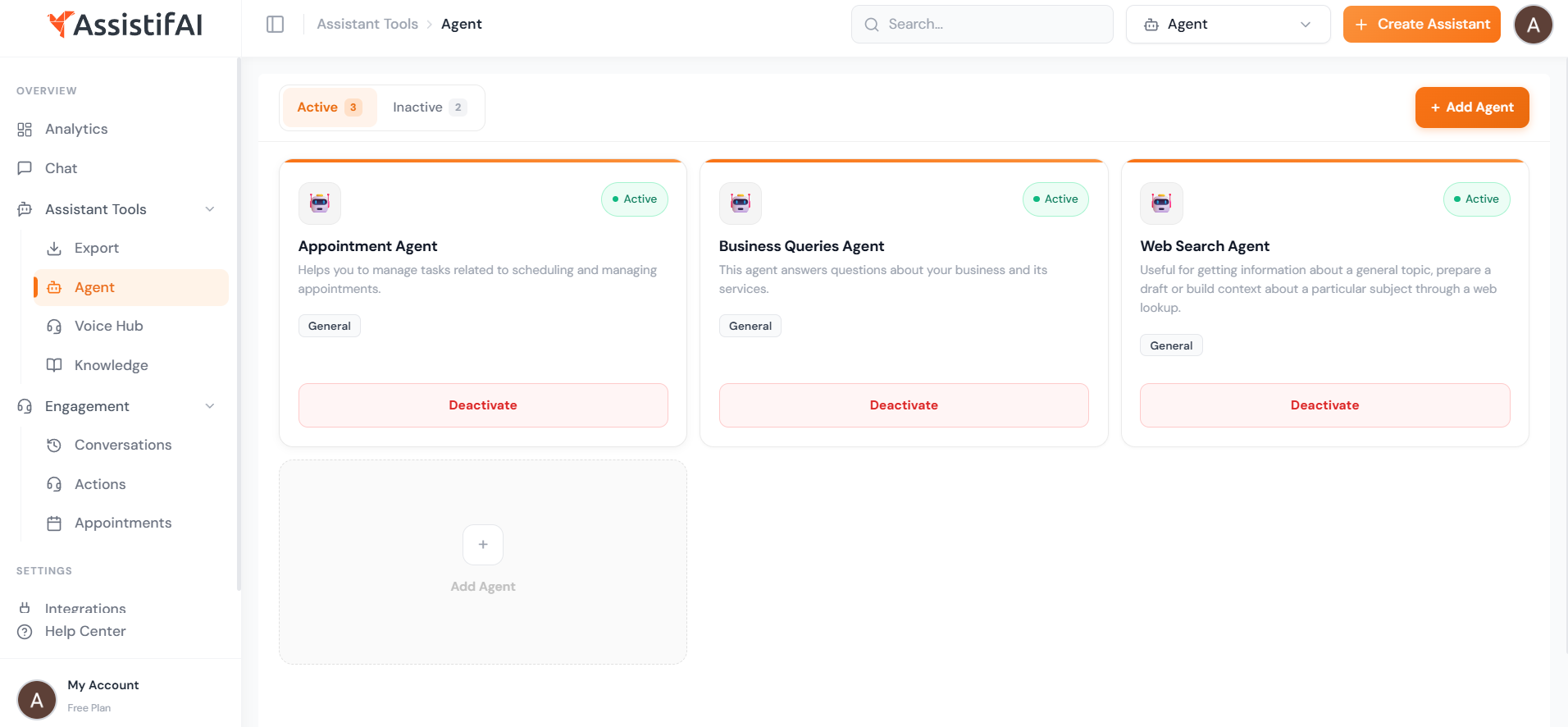
The Agents section in AssistifAI allows you to extend the capabilities of your AI assistant by activating specialized agents. These agents help your assistant handle different types of tasks during conversations.
AssistifAI supports both chat and voice interactions, which means these agents can work during text conversations as well as voice-based interactions such as calls or voice assistants.
By activating the right agents, your assistant can automatically perform actions like answering business questions, booking appointments, sending emails, or retrieving information.
How Agents Work
Agents act as specialized capabilities within your AI assistant. When a customer asks a question or makes a request through chat or voice, the system automatically selects the appropriate agent to handle the task.
For example:
- If a user asks to schedule a meeting, the Appointment Agent manages the booking.
- If someone asks about services or pricing, the Business Queries Agent provides the answer.
- If the assistant needs external information, the Web Search Agent retrieves it.
This allows the assistant to handle more advanced interactions instead of only responding with static answers.
Available Agents
AssistifAI provides several agents that can be activated depending on your business needs.
Appointment Agent
The Appointment Agent helps manage scheduling tasks.
It can:
- Check available time slots
- Book appointments automatically
- Manage meeting requests
Example:
A clinic uses this agent to allow patients to book appointments directly through the chatbot or voice assistant.
Business Queries Agent
The Business Queries Agent answers questions related to your company, services, and products using the knowledge base.
Examples of questions it can handle:
- What services do you offer?
- What are your pricing plans?
- Where is your office located?
This agent helps automate most customer support interactions.
Web Search Agent
The Web Search Agent retrieves information from the internet when external knowledge is required.
It can be used for:
- Research tasks
- Gathering topic information
- Providing updated information
Email Agent
The Email Agent can compose and send emails based on conversation context or instructions.
This can help with:
- Sending follow-up emails
- Drafting messages
- Sharing information with customers or team members
Spreadsheet Agent
The Spreadsheet Agent works with spreadsheet data such as CSV or Excel files.
It can:
- Analyze data
- Process reports
- Extract insights from spreadsheets
This is useful for businesses that store operational data in spreadsheets.
Activating and Managing Agents
In the Agents dashboard, you can control which agents are active.
You can:
- Activate agents
- Deactivate agents
- View active and inactive agents
- Add new agents when needed
This allows you to customize how your assistant behaves and what tasks it can perform.
Example
Imagine a consulting company using AssistifAI.
They activate:
- Business Queries Agent to answer service-related questions
- Appointment Agent to schedule consultations
- Email Agent to send follow-up emails
When a visitor asks through chat or voice:
“Can I schedule a consultation for next week?”
The Appointment Agent checks available time slots and schedules the meeting automatically.
Flexible AI Capabilities
Agents allow AssistifAI to handle multiple types of tasks across chat and voice interactions.
By enabling different agents, businesses can expand their assistant’s capabilities and automate more customer interactions while keeping the system easy to manage.

